
Daily finance tracking
Capture transactions, split them by type, and review your current month with searchable tables and practical summaries.
- Income and expense entries
- Category-based organization
- Search, sort, and date ranges
ComptZen brings expenses, income, savings goals, subscriptions, friendly loans, credits, shopping lists, and todos into one private workspace built for everyday decisions.
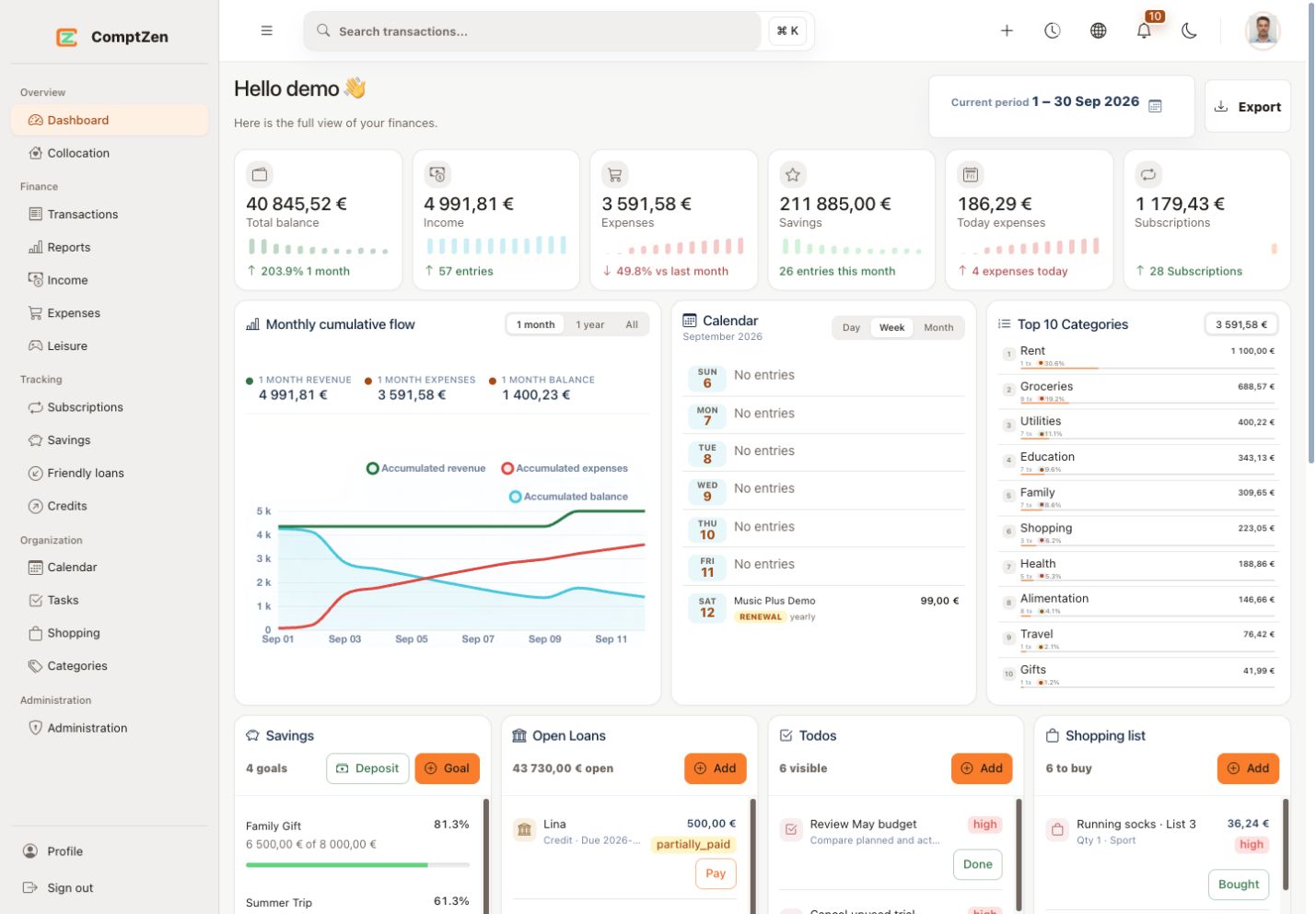
Record income, expenses, and leisure spending with categories, dates, filters, and clean tables that keep your daily activity easy to review.
Follow savings goals, upcoming subscription renewals, and month-to-month movement from the same workspace.
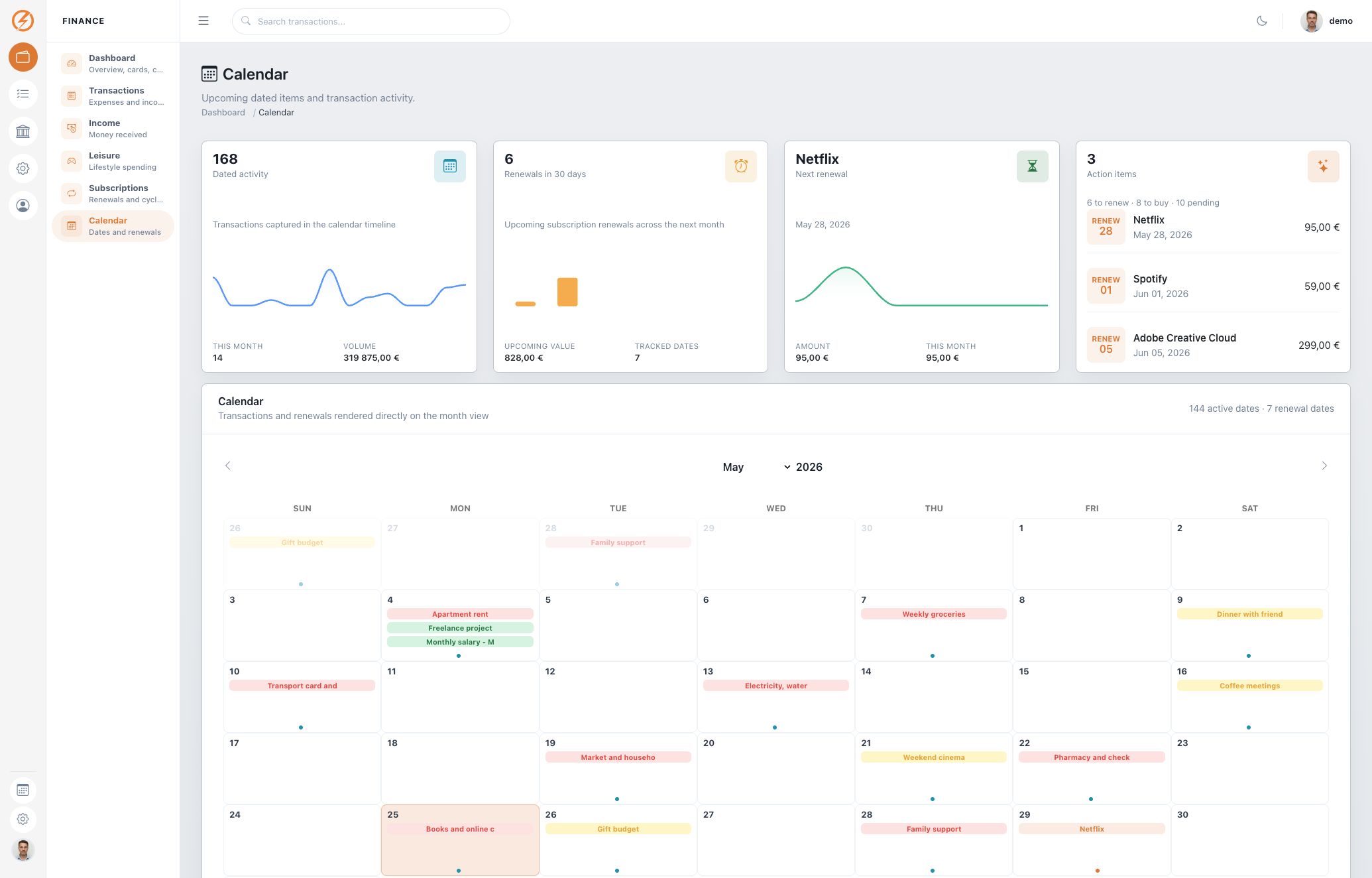
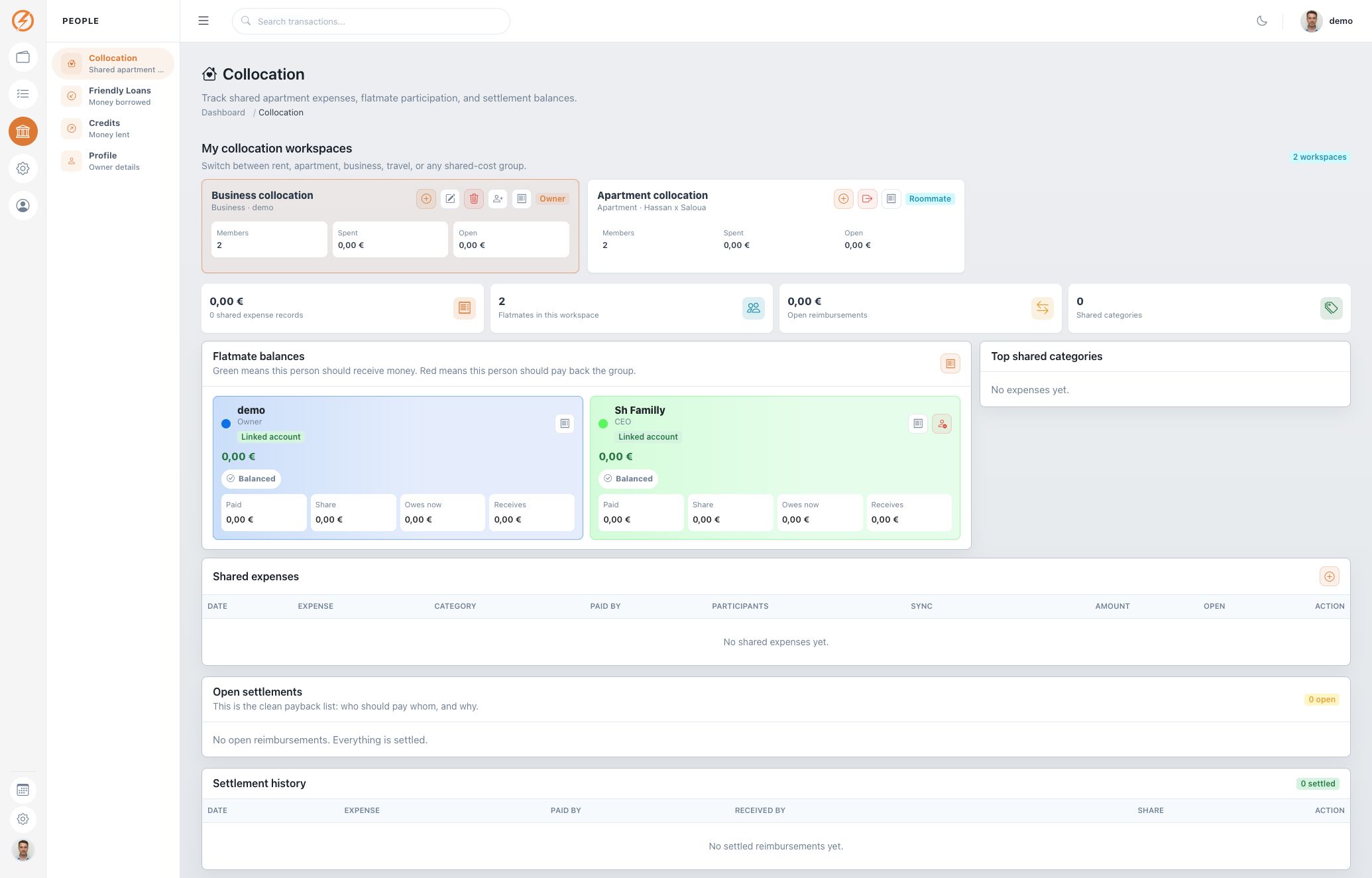
Manage todos, shopping lists, friendly loans, and money lent to others without scattering those details across separate apps.
Capture transactions, split them by type, and review your current month with searchable tables and practical summaries.
Bring savings goals, recurring subscriptions, shopping lists, and todos into a dashboard that shows what needs attention.
Track money borrowed from friends and money lent to others, including payment progress and remaining balances.
ComptZen keeps the details close to the dashboard: what came in, what went out, what renews soon, what you owe, what is owed to you, and what still needs to be done.
Start with your preferred currency and build from there.

The dashboard keeps recent transactions, categories, and totals close together, so reviewing the month takes minutes instead of digging through separate notes.

Savings targets, current balances, and deposits are visible together, which makes progress clear without a separate spreadsheet.

Recurring services and upcoming renewal dates are listed in one place, which helps catch unnecessary subscriptions before they charge again.

Borrowed and lent amounts are tracked with due dates, paid amounts, and remaining balances, so informal money agreements are easier to follow.

Todos and shopping items sit next to the financial overview, which keeps practical errands connected to the budget.



Finance modules
Currency options
Focused dashboard
A focused personal workspace to start tracking your money.
For users who want the full dashboard, shared budgets, reminders, and mobile access.
For households, couples, roommates, and any shared-cost workspace.
Create an account, choose your currency, then add your first transactions, savings goals, subscriptions, todos, or shopping items from the dashboard actions.
Yes. ComptZen separates income, expenses, leisure spending, subscriptions, savings, friendly loans, and credits so each type stays clear.
Yes. The profile page lets you update your username, email, avatar, currency, language, theme, and password.
Accounts use password hashing, session-based access, and user-scoped records so regular users only work with their own dashboard data.
Yes. ComptZen is now available on the App Store for iPhone. Download the iOS app. The Android version is coming soon.
No. ComptZen is built for personal finance, couples, roommates, families, and shared budgets.
Send a message about setup, account access, plans, or the finance modules you want to use first.